



Claude Code hooks are the one piece of my setup I would not code without now. They are user-defined shell commands that Claude Code runs automatically at fixed points in a session, before a tool call, after one, when the session starts, and the whole point is that they are deterministic. The model does not decide whether to run them. They run every time, as real OS processes with my permissions. These are the Claude Code hooks I run, the block that saved me from an rm -rf, and the failure modes that cost me an hour so they do not cost you one.
Table of contents
- What Claude Code hooks actually are
- The events you will reach for first
- My real settings.json, annotated
- The PreToolUse block that stopped an rm -rf
- Failure modes that cost me time
- What is worth hooking, and what is not
- FAQ
What Claude Code hooks actually are
A hook reads a JSON description of what is happening on stdin and signals back through its exit code and stdout. That is the whole contract. The script runs as a real process with your permissions, so it executes deterministically every time rather than when the model feels like it. If something needs to happen every single time without fail, you do not put it in a prompt or in CLAUDE.md and hope. You put it in a Claude Code hook.
Hooks live in one of three places, and the layering matters: ~/.claude/settings.json for global rules across every project, a project’s .claude/settings.json that you commit so the whole team gets it, and .claude/settings.local.json for machine-local rules you do not commit. I keep security hooks global and formatting hooks per project.
There are also three handler types worth knowing. A command handler runs a shell command and covers nearly everything. A prompt handler sends the hook input to a model (Haiku by default) for a single-turn allow-or-deny decision with a 30-second default timeout. An agent handler spawns a subagent that can use tools to verify a condition, up to 50 tool-use turns, 60-second default. For almost all real work, command is what you want.
The events you will reach for first
Claude Code fires them on a large and growing set of named events, so you should always take the current list from the official hooks reference rather than trusting any blog, this one included. But in daily use you reach for a handful. This table is the mental model I actually use:
| Event | Fires | Can it stop the action? |
|---|---|---|
PreToolUse |
Before a tool call executes | Yes, exit code 2 or a JSON block decision stops it |
PostToolUse |
After a tool call succeeds | No, the tool already ran |
UserPromptSubmit |
When you submit a prompt, before Claude sees it | Yes, it can reject the prompt |
SessionStart |
Session begins or resumes | No, used to inject context |
Stop |
Claude finishes a turn | Yes, it can make Claude continue |
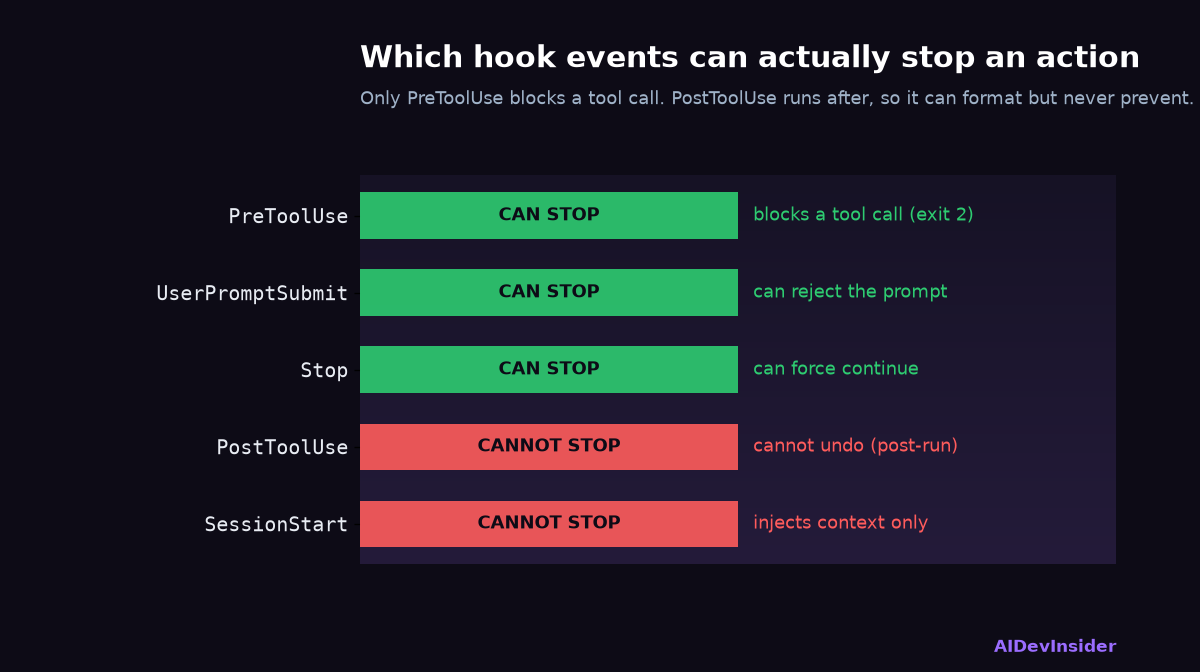
The asymmetry is the important part. PreToolUse is the only common event where a non-zero exit code stops a tool call outright, which is why every blocking or safety hook belongs there. PostToolUse cannot undo a tool that already succeeded, so it is for formatting, logging, and reacting, never for prevention.
My real settings.json, annotated
Here is the shape I run. Two behaviours: auto-format after any file write, and screen every Bash command before it runs.
{
  "hooks": {
    "PostToolUse": [
      { "matcher": "Edit|Write|MultiEdit",
        "hooks": [ { "type": "command",
          "command": "${CLAUDE_PROJECT_DIR}/.claude/hooks/format-file.sh" } ] }
    ],
    "PreToolUse": [
      { "matcher": "Bash",
        "hooks": [ { "type": "command",
          "command": "${CLAUDE_PROJECT_DIR}/.claude/hooks/block-dangerous.sh",
          "timeout": 10 } ] }
    ]
  }
}
The matcher targets the tool name, Bash or Edit|Write|MultiEdit, not words in your prompt. That single misunderstanding is the most common reason a hook silently never fires. The ${CLAUDE_PROJECT_DIR} variable keeps the path stable no matter where Claude’s working directory wanders during a session.
The PreToolUse block that stopped an rm -rf
The blocking Claude Code hook is the one that earns its place. Claude Code passes the tool input as JSON on stdin, so a PreToolUse hook on Bash can read the exact command about to run and refuse it. You signal a block one of two ways: exit code 2, or structured JSON on stdout with a decision of block and a reason. I test mine by piping a fixture at it:
echo '{"tool_name":"Bash","tool_input":{"command":"rm -rf /"}}' \
  | ./.claude/hooks/block-dangerous.sh
echo "Exit code: $?"   # expect 2 (blocked)
Mine screens for the usual destroyers: rm -rf on anything broad, git push --force to a protected branch, DROP TABLE, and anything piping a remote script straight into a shell. It has fired for real exactly once, on a rm -rf against a build directory that also matched a path I cared about, and that one catch paid for the entire setup. Keep the Claude Code hooks block list narrow and specific, because a hook that blocks too much just gets disabled, and a disabled safety hook protects nobody.
Failure modes that cost me time
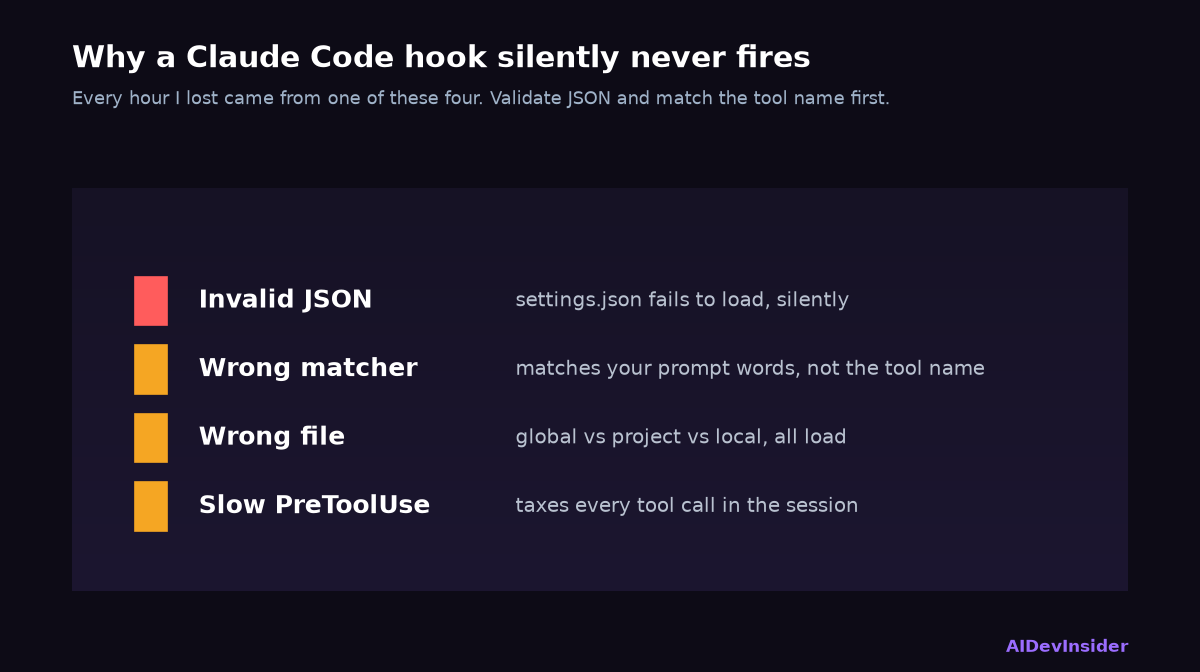
Every hour I lost to Claude Code hooks came from one of these, so here they are plainly.
Invalid JSON in settings.json fails silent. Claude Code just does not load the hook and does not shout about it. Validate the file before you start a session.
The matcher matches the tool, not your words. If you write a matcher expecting it to fire on a prompt topic, it never fires. Match Bash, Edit, Write.
You edited the wrong settings file. Global, project, and local all exist and all load. Confirm which one Claude Code actually read.
Slow PreToolUse hooks tax every call. A PreToolUse hook sits in front of execution, so a slow one slows the whole session. Keep it fast, set a timeout, and do heavy work in PostToolUse or in the background instead.
When a hook misbehaves, the fastest diagnosis is to replace the command temporarily with a tiny script that writes a timestamp to a log file, then run the real script by hand against a sample JSON fixture. That two-step isolates “is it firing at all” from “is the logic wrong” in about a minute.
What is worth hooking, and what is not
With Claude Code hooks you hook the things that must happen every time: formatting after edits, blocking dangerous commands, scanning for secrets before they reach a commit, injecting branch and issue context at session start. These are exactly the tasks you do not want depending on whether the model remembered.
Do not hook things that are genuinely situational or that need judgment, and do not turn a hook into a second, hidden agent doing creative work. The value of these hooks is that they are dumb, fast, and certain. The model does the thinking; the hooks enforce the rules around it. That division is the whole design, and it is why “if it must happen without fail, put it in a hook” is the one rule I would keep.
If you run agents against real infrastructure, two related pieces are worth your time: the kill switch hiding in your coding agent’s permissions, and the AI agent security risks I found auditing my own machine.
FAQ
What are Claude Code hooks? User-defined shell commands, prompts, or subagents that Claude Code runs automatically at fixed lifecycle points such as PreToolUse and PostToolUse. They give deterministic control so formatting, linting, or security checks always happen, instead of relying on the model to remember.
Can Claude Code hooks block dangerous commands?
Yes. A PreToolUse hook can stop any tool call by exiting with code 2 or returning a JSON decision of block. It is the standard way to prevent destructive commands like rm -rf, DROP TABLE, or a force push.
Where do I configure Claude Code hooks?
In settings.json, at one of three levels: ~/.claude/settings.json (global), .claude/settings.json in a project (committed, team-wide), or .claude/settings.local.json (machine-local, not committed). You can also use the /hooks command inside Claude Code.
Why isn’t my hook firing?
Almost always invalid JSON in settings.json (fails silent), a matcher targeting your prompt wording instead of the tool name, or editing a different settings file than the one Claude Code loaded. Validate the JSON and confirm the matcher targets Bash, Edit, or Write.
Sources: Claude Code hooks reference (official docs); Claude Academy: Hooks; Claude Code Hooks: complete guide with 20+ examples (DEV Community); scalably.io practical guide with real config. Configuration and the rm -rf catch are from my own .claude/settings.json on Claude Code, 2026.